WordPress or Shopify? How to choose, with real client examples
Feature checklists will not tell you which platform suits your business. These seven questions will. They are the ones we ask on every discovery call, answered with websites we have built on WordPress, WooCommerce and Shopify.
 By Asim Baloch, Founder of Tangle Logics
Updated · 4 min read

The short version
- Choose Shopify if your business is mainly selling products online, you want hosting, security and checkout taken care of, and your store does not need unusual custom features.
- Choose WordPress if your website is mainly about winning enquiries or bookings, you need lots of content and pages, or you need custom tools such as calculators, listings or courses.
- Choose WooCommerce (an online store on WordPress) if you sell products but also need complete control: a technical catalogue, a product finder, wholesale features, multiple languages, or a lot of content alongside the shop.
Both are excellent. Most problems come from choosing the platform before answering the questions below.
1. Do you mainly sell products, or win customers?
This is the most important question. If most of your revenue comes from people adding products to a cart and paying online, Shopify is built for exactly that. If your website's job is to generate calls, quote requests or bookings, WordPress gives you far more freedom.
Zaltify, which sells handmade Zalto wine glasses in the UAE, is a pure product business: sets, gift sets, a fast cart and checkout. Shopify was a natural fit.

OOVO Window Films, an installer in Dallas-Fort Worth, sells a service. Its website needs to answer questions and turn visitors into booked measurements, so it runs on WordPress.
2. Do you need custom tools?
Price estimators, product finders, property listings and online courses are where the platforms differ most. WordPress can run almost any custom feature on your own website. Shopify can too, but mostly through apps and within the limits of its store structure.

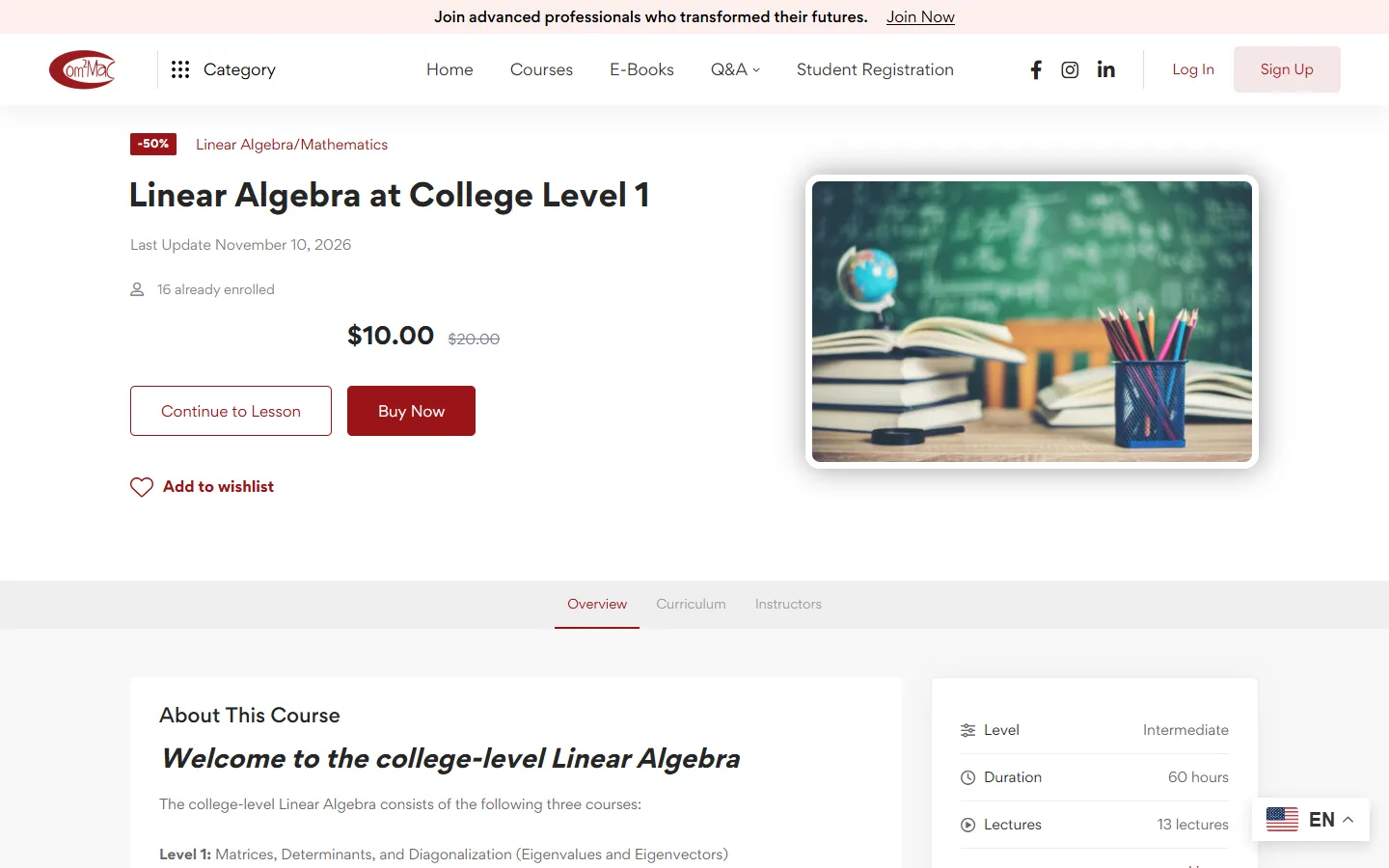
Com2MaC, an online mathematics academy, needed courses, lessons, student registration, Q&A areas and equation editing. That is a learning platform rather than a shop, so it is built on WordPress with Tutor LMS.
3. How much content will you publish?
If your website needs many pages, such as a page for each service, each city or neighbourhood you serve, each condition you treat, or a regular blog, WordPress is the stronger choice. It was built for content first, and gives you full control over page structure and SEO.
Blushwood Realty, a real estate team in Dallas-Fort Worth, has a page for each of the ten towns it covers, guides for buyers and sellers, a market insights blog and live MLS listings. That mix of content and listings is exactly what WordPress handles well.

4. How large and technical is your catalogue?
For a typical store, Shopify handles hundreds or thousands of products comfortably. But if your products are technical, with specifications, many variations and customers who need help choosing, WooCommerce often fits better.
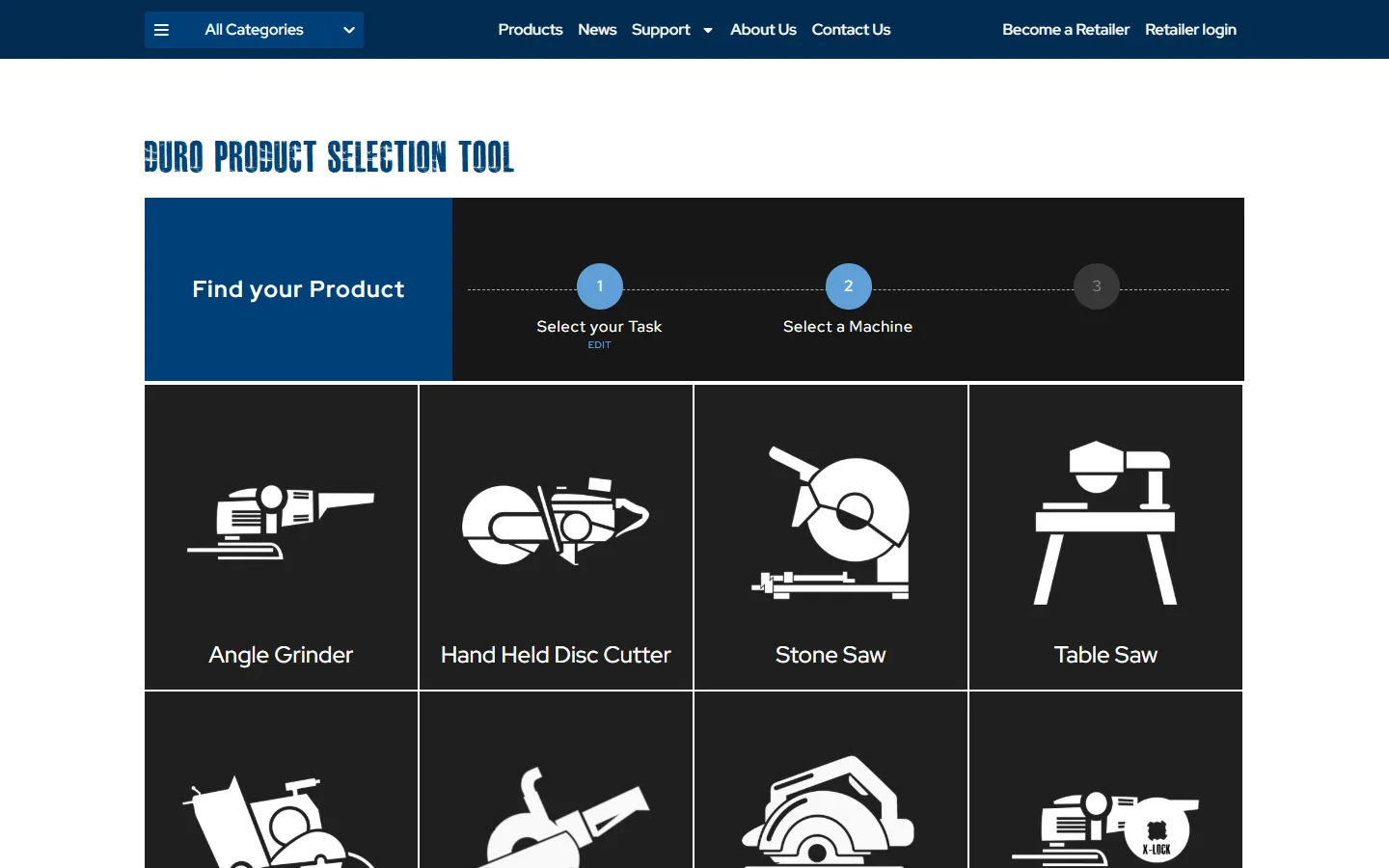
Duro supplies diamond blades, drills and machines in Belgium. Its WooCommerce catalogue has a custom Product Selection Tool, specification tables on every product, organised categories by task and three languages.
Cool-Fun RV sells RV refrigerator cooling units where every product must match a model number, with search and filters to help customers find the right one. It also runs on WooCommerce.
5. Who will run the website day to day?
Shopify is simpler to run. Updates, security and hosting are handled for you, and the admin is designed for managing products and orders. WordPress is just as easy to edit once it is set up well, but someone needs to keep plugins updated, take backups and look after hosting, either your team or your developer.
If nobody on your team wants anything to do with the technical side, that is a strong point in Shopify's favour.
6. What will it cost over three years?
Compare total cost, not the build price alone:
- Shopify: a monthly plan, payment fees on every sale, and paid apps for many extra features. Hosting and security are included.
- WordPress: hosting, a few premium plugins, and ongoing maintenance. There is no platform fee on your sales.
For a busy store, Shopify's plan and fees add up, but so does the value of not managing servers. For a service business with no online payments, WordPress is usually cheaper to run. Our guide to what a Shopify store costs breaks the Shopify side down in detail.
7. Do you want to own everything?
With WordPress you own the whole site and can move it to any host. With Shopify, your store lives on Shopify's platform. You can export your products, customers and orders, but not the theme or apps as they are. For most businesses this is not a problem, but it matters if long-term independence is a priority.
Quick guide: which platform fits which business
- Online store selling your own products: Shopify
- Luxury or fashion brand with a strong visual identity: Shopify, with a custom theme
- Service business, clinic, builder or agency: WordPress
- Real estate team with listings and community pages: WordPress
- Online courses or memberships: WordPress with an LMS plugin
- Technical catalogue, wholesale or product finder: WooCommerce
- Content-heavy business that also sells online: WooCommerce
- Not sure: ask us. We build on all three and will recommend the right one on your discovery call.
Planning a new website?
Send us your current site or your idea. We reply within 24 hours with the recommended approach, timeline and a fixed quote.
Not sure which platform to choose?
Tell us about your business and what your website needs to do. We'll reply within 24 hours with our recommendation, a timeline and a fixed quote.